To add the Chrome extension, click here:
You can use the chrome extension to add specific news you find while browsing the internet or to add full sources to your account.
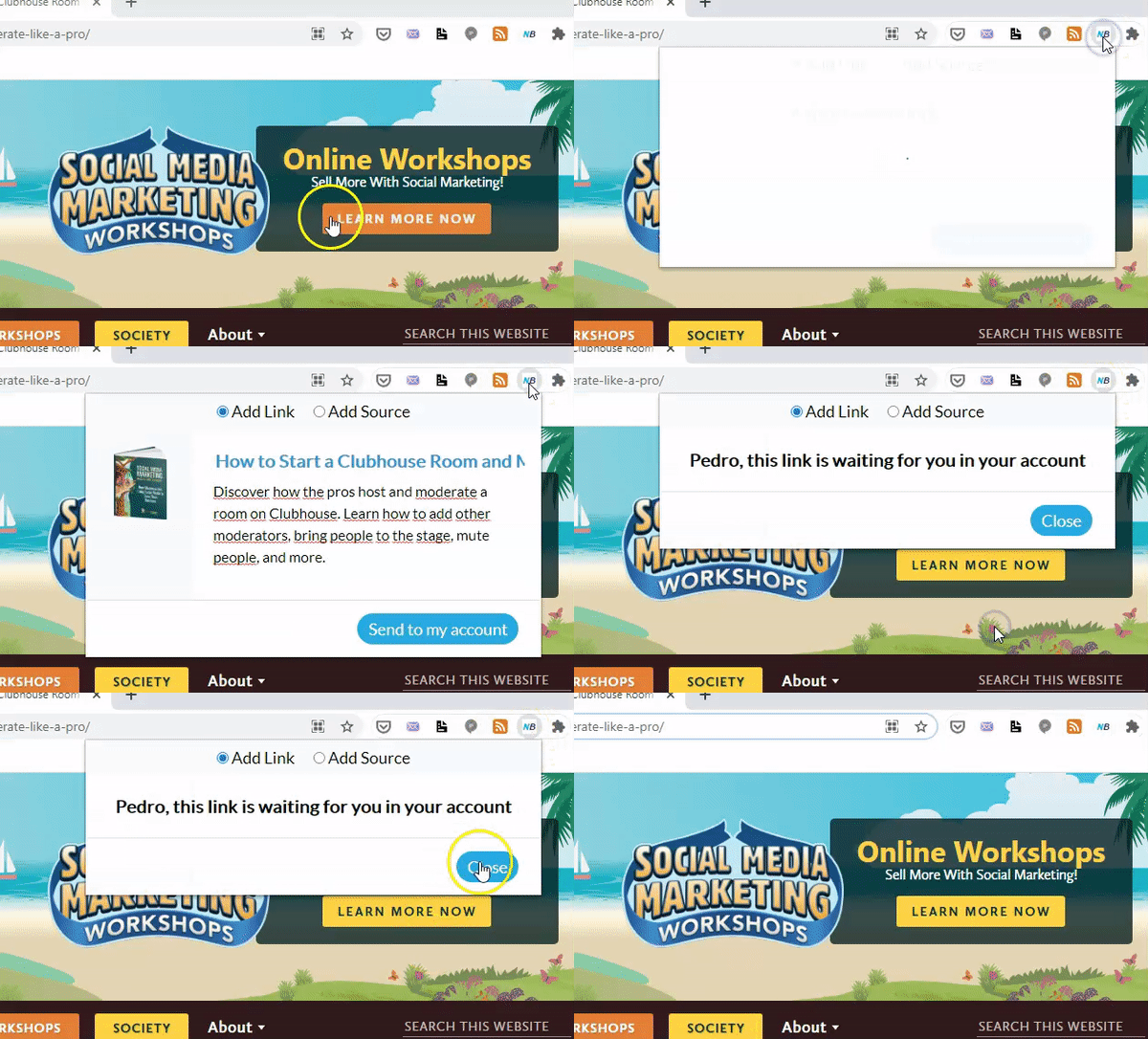
Add specific news to your account:
After you add it, whenever you browse the internet and find valuable conten, add it to your content library by following these simple steps:
Click on the "NB" icon in Chrome
Click on "Send to my account"
The news will be waiting for you in your account.
Add full sources to your account:
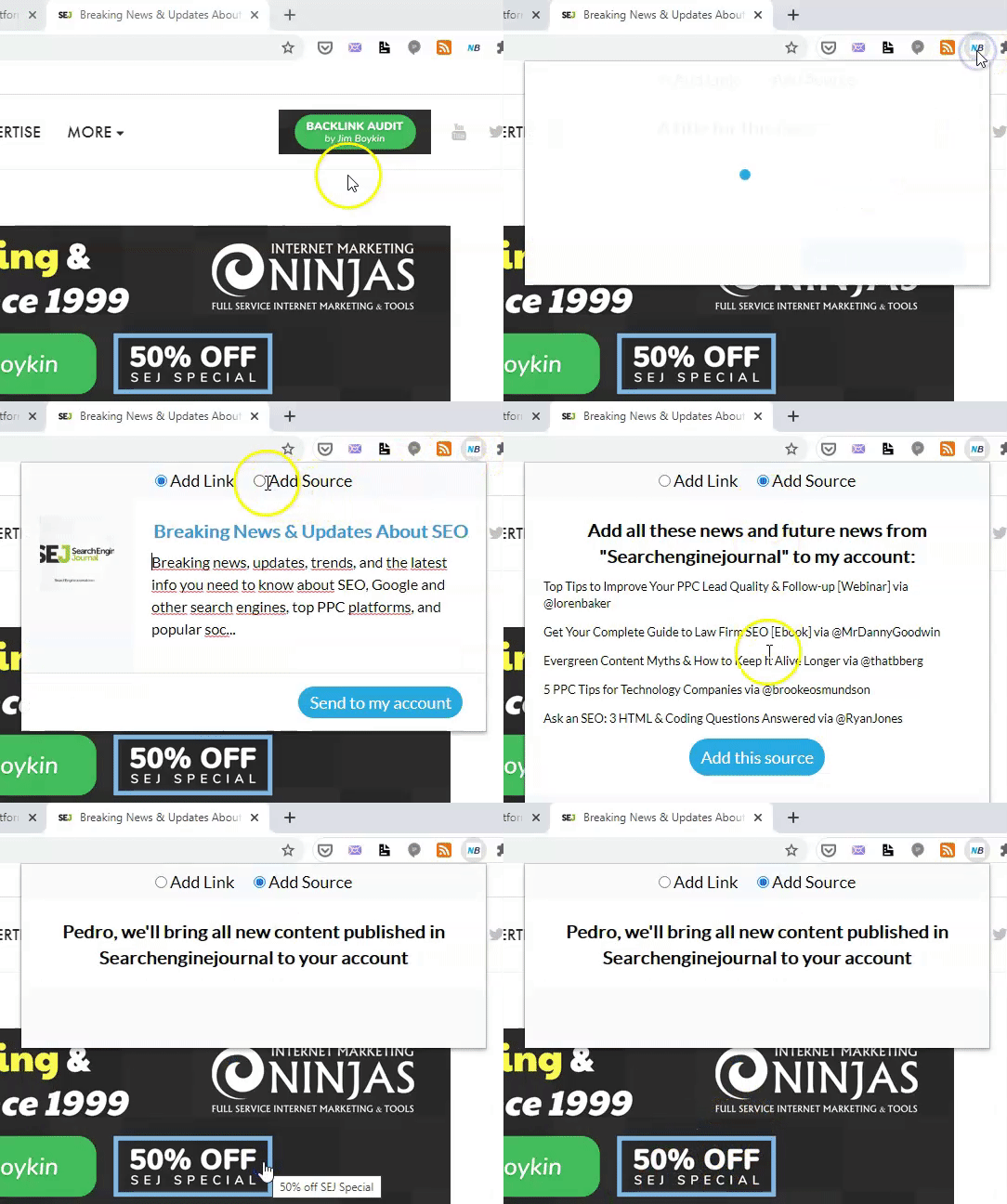
If you want to add all news from a certain source to your account with the Chrome extension, do the following:
While you visit a certain site, click on the NB Chrome extension.
Click on the "Add source" button above
Click "Add this source".
You'll see that, unfortunately, not all sites will work out. From that moment onwards, all new content published in that website will be added to your account.