

You don't need to use a new template for each newsletter. You can reuse the same one over and over again for all your newsletters.
Reuse the same template:
When you send a newsletter through one of the services we integrate with, all the content that's not locked, will disappear from your template. Your template will be ready for your next newsletter. That newsletter will go into the "Issues" tab.
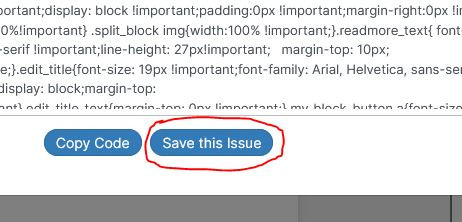
If you send a newsletter as html, you can save it also as an issue by clicking on the "Save this issue" button that you'll find right next to the "Copy code" button.
Then, all the content will disappear from your newsletter template, except for any blocks or elements you have not blocked.
History (past issues you've saved)
You can see any of your past issues by clicking on the issues button you'll see on top (red circle in image).
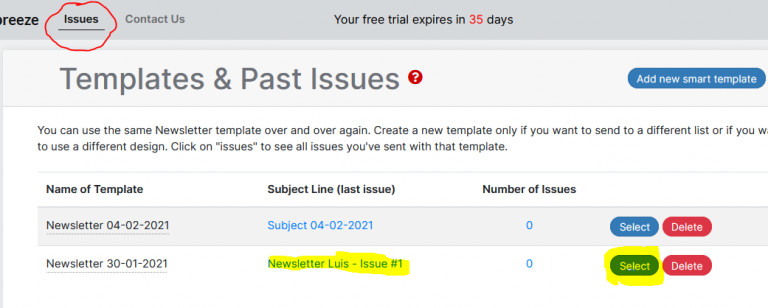
To go back to your current newsletter, click on the subject line or "Select" button (highlighted in yellow in image above).
If you delete a specific template, you’ll delete all the past issues (newsletters) you sent with that template.
Use a different template only if you are sending a newsletter to a different subscriber list or you want to have a completely different design.
