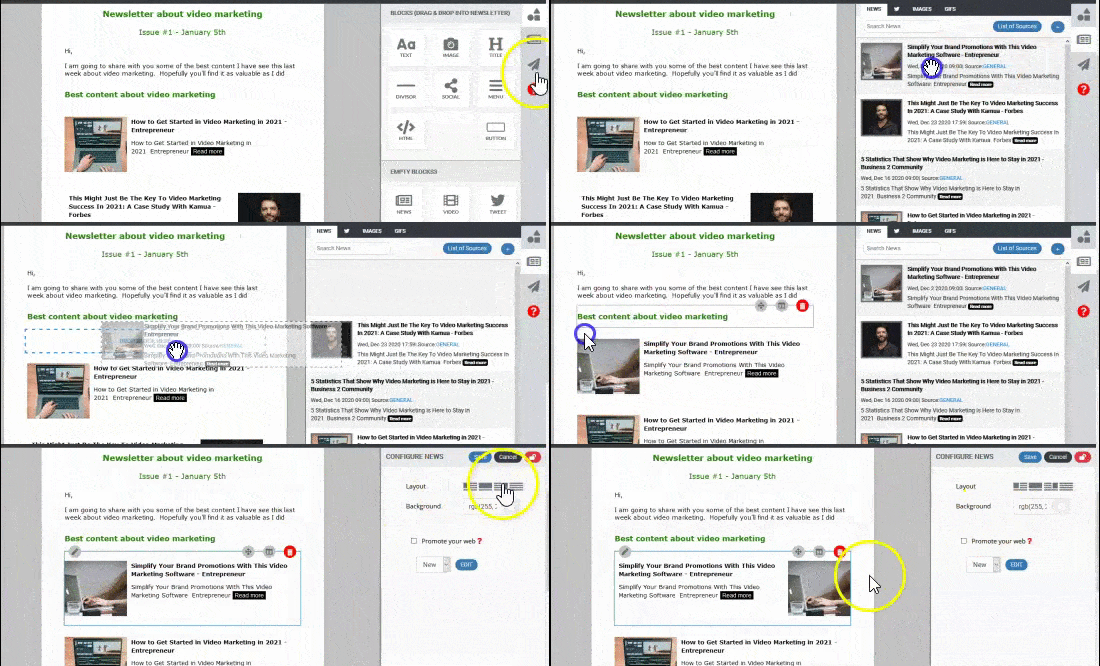
You can add content to your newsletter from the content library or by adding elements.
Add content (news, images & gif files) from the content library:
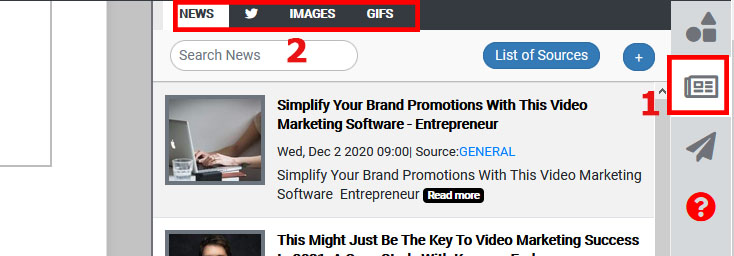
Click on the "content library button".
Select the tab (news, social media, images, gifs) you want to get content from.
3. Drag & drop the content to your newslettrer. Edit it as much as you like.