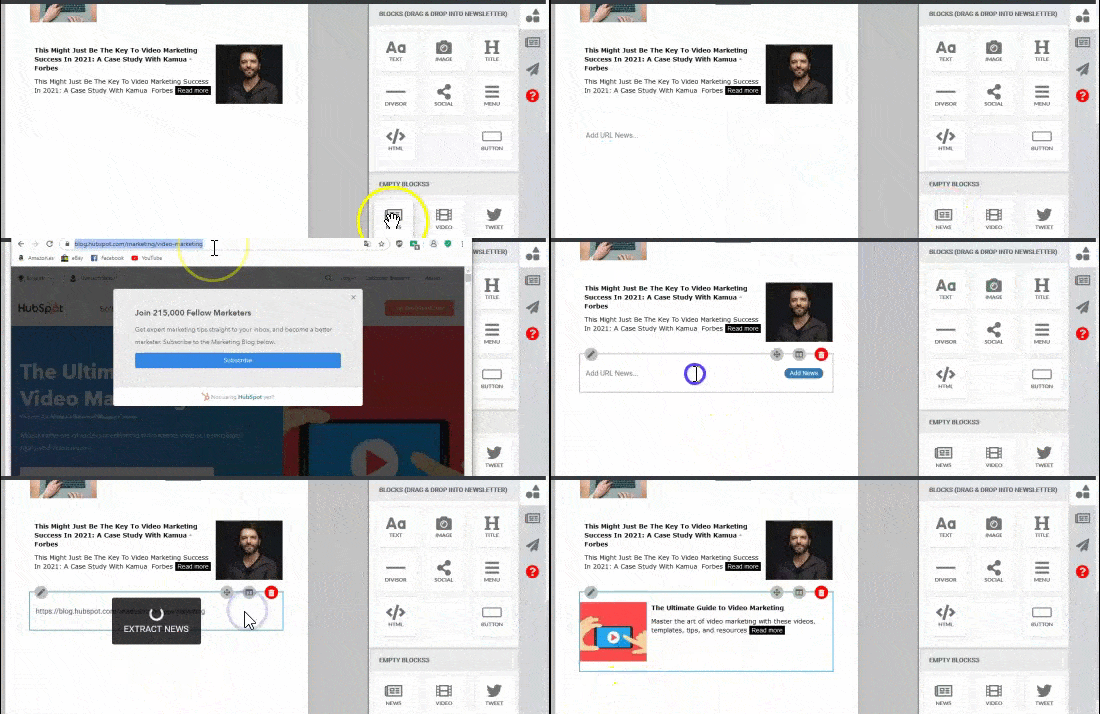
Add a specific link to your newsletter, that's not in your content library:
Drag & drop the "News" element into the newsletter.
Paste the link in the box.
Click "add News"
Below, you'll find this information.


Add a specific link to your newsletter, that's not in your content library:
Drag & drop the "News" element into the newsletter.
Paste the link in the box.
Click "add News"
Below, you'll find this information.
Was this article helpful?